

Now that I’ve got the SX1024 updated, of course I must run a few speed tests to see how it preforms.
For these tests, I have a Supermicro EPYC Genoa server and a MSI B550 5900x system both running Ubuntu 22.04 with the 6.8 kernel.
Both the server and B550 are connected to my home network via onboard NIC’s. I installed a MCX311A in each and powered them up and verified that MCX311A’s were showing up in both systems (lspci). I then modified the netplan YAML files to include the new connections, reset the network (netplan apply), and checked that Linux sees them (ip a). At this point I unplugged the 1GbE cables to the home network from both systems, connected the MCX311A’s via DAC cables plugged into random ports on the SX1024, connected the SX1024 to my home network as well as the switch’s management port via a SFP+ copper adapters at 1GbE, and waited for link lights on the switch. After about a minute I was able to SSH into both the server and the B550 via the SX1024 and the 10GbE connections.
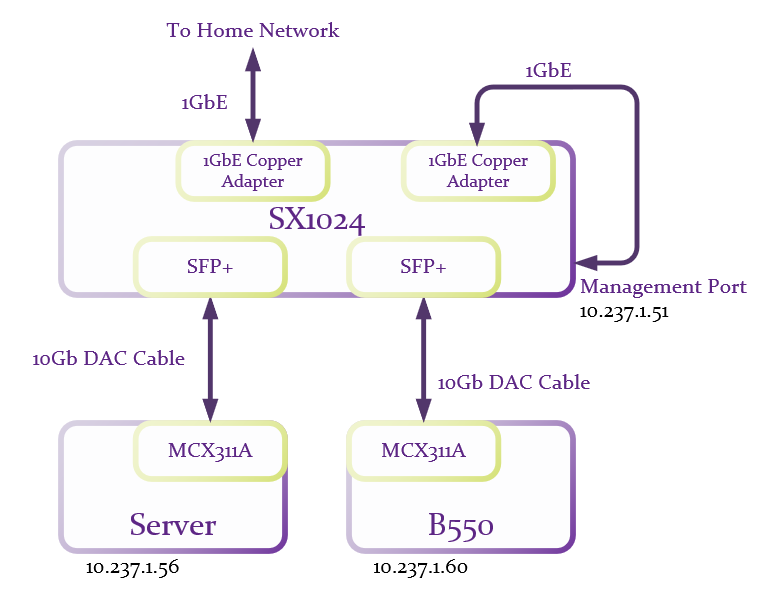
Honestly, things never go this smoothly for me. I really expected to have at least a half dozen problems to work through at this point. So I set the server to be an iperf3 server, and the B550 as an iperf3 client and gave it a go.
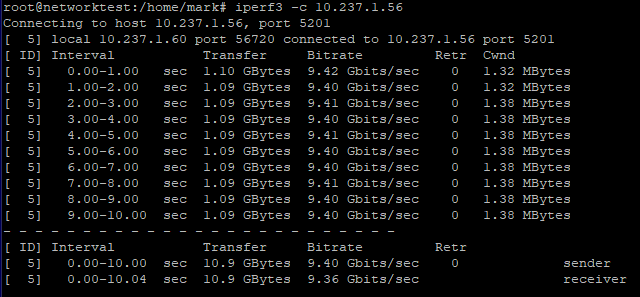
Very nice for the first run, but this is with MTU set to the default of 1500. So on both the server and the B550 I modified the netplan YAML files to change the MTU to 9000. Then on the SX1024 I located the two ports that were connected and change their MTU to 9216. Follow Ports > Port number > and scroll down to this:
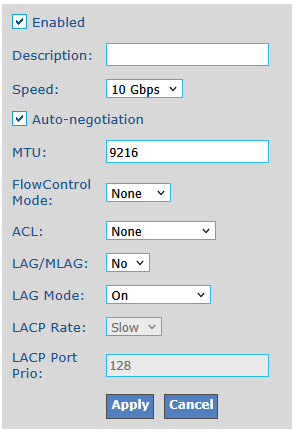
Apply changes and click Save in the upper right corner of the web page. 1
Why 9216 and not 9000? The MLNX-OS has 9216 as it’s maximum allowed value for MTU which allows for a bit of overheard for VLANs and other protocols. And in the documentation configuration examples it’s always set to the max. Monkey see, monkey do.
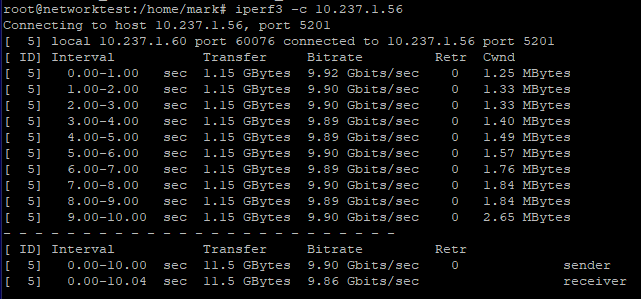
Running iperf3 again:
And a UDP test:
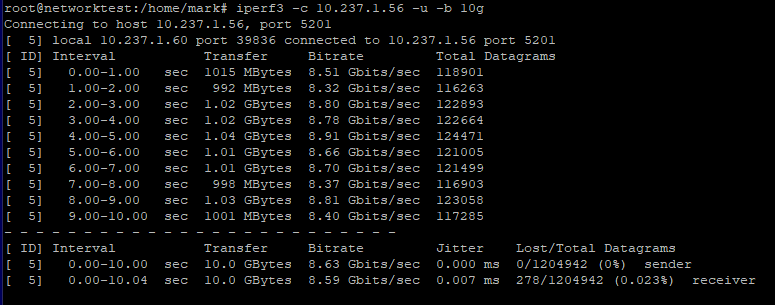
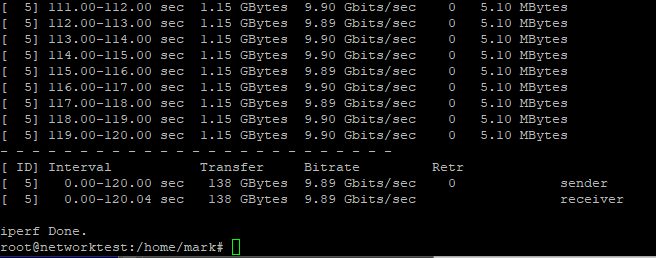
And then a long test to see if any buffers saturate over time:
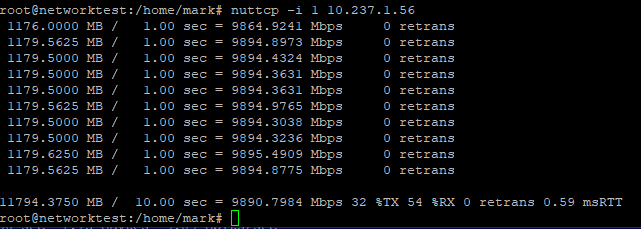
And just for grins, nuttcp gives similar results:
I’m scratching my head on why the UDP test is a bit slower than the TCP test. I ran it several times trying slightly different configurations and it always came out about the same. I’m going to have to look into this more, but for now I’m quite happy with these results.
Thanks for taking the time to read. As always, comments and questions are welcome.
Comments
Loading comments…